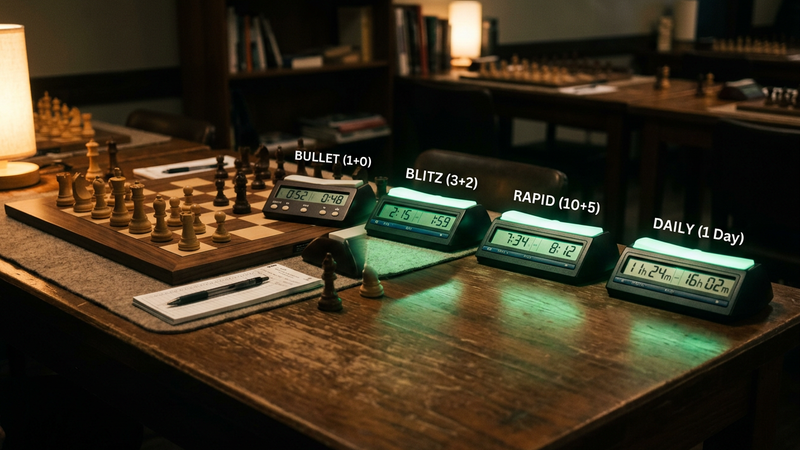
Chess.com keeps a separate rating for rapid, blitz, bullet and daily chess, plus puzzle and Puzzle Rush scores. RankSurge looks up any Chess.com member and shows those ratings, your win rate, your recent games and the openings you play most, straight from the official Chess.com Published-Data API.
Which ratings does Chess.com track?
Every member gets one rating per time control, so a strong rapid player can have a much lower bullet rating. Chess.com sorts live games by how long a game is expected to last, counting the base time plus 40 moves of increment, as its help article on live ratings explains.
| Rating | Which games count |
|---|---|
| Bullet | Games under 3 minutes |
| Blitz | Games from 3 minutes to under 10 minutes |
| Rapid | Games of 10 minutes and longer |
| Daily | Correspondence games with days per move |
| Puzzles | Rated tactics puzzles |
| Puzzle Rush | Your best score in timed puzzle runs |
For example, a 2 minute game with a 12 second increment counts as rapid: 2 minutes plus 12 seconds times 40 moves comes to 10 minutes. For how the Glicko system moves your rating, starting ratings and how to climb, read Chess.com Ratings Explained.
How do you look up a Chess.com player?
- Type the username: it is the name in the chess.com/member/ address of the profile, not the display name.
- Or paste a profile link: copy the address of any Chess.com member page and RankSurge reads the username from it.
- Open the results: ratings, records, recent games and openings load on one page.
There is no sign-in. RankSurge only reads public Chess.com data.
What does the RankSurge Chess.com lookup show?
Ratings
Current rapid, blitz, bullet and daily ratings, with your best rating in each.
Records
Wins, losses and draws for each time control, and your overall win rate.
Puzzles
Your highest puzzle rating and your best Puzzle Rush score.
Recent games
Your last 20 games with result, opponent, colour and accuracy when the game was analysed.
Openings
The openings you played most in recent games, split by white and black, with your score in each.
Dashboard and Ask AI
A 0 to 100 Performance Score, Improve next tips and Ask AI questions about your own numbers.
All chess data on RankSurge comes from the official Chess.com Published-Data API, which is read-only and shows public data only. RankSurge is not affiliated with or endorsed by Chess.com.
How can you use your stats to win more?
- Pick one time control: compare your ratings and play most games where you are strongest, or where you want to improve.
- Check your openings: an opening with a low score in your recent games is a good one to study or replace.
- Review your accuracy: games with low accuracy usually hold one big mistake worth finding.
- Compare with a friend: run two players through AI Profile Pick to see who is ahead and why.
Keep your accounts together in the Player Hub, and browse every game we cover from Player Lookup or the Guide Library.
Ask RankSurge AI about your games. Look up your username above, open your dashboard and ask which time control suits you best.
Frequently asked questions
How do I check my Chess.com stats?
Type your Chess.com username on this page, or paste the link to your member profile. RankSurge reads your rapid, blitz, bullet and daily ratings, your best rating in each, your win, loss and draw record, your puzzle and Puzzle Rush scores, and your recent games from the official Chess.com Published-Data API. Your username is the name in your chess.com/member/ address, which can differ from your display name.
Why do I have different ratings on Chess.com?
Chess.com keeps a separate rating for each time control because players often perform very differently at different speeds. Bullet covers games under 3 minutes, blitz covers 3 minutes to under 10 minutes, and rapid covers games of 10 minutes and longer. Daily chess, played over days, and puzzles each have their own rating too. RankSurge shows all of them side by side.
How does Chess.com decide if a game is blitz or rapid?
Chess.com estimates how long a game will last for each player. It takes the base time and adds the increment multiplied by 40, assuming an average game of 40 moves. A game estimated under 3 minutes is bullet, under 10 minutes is blitz, and 10 minutes or more is rapid. So 2 minutes with a 12 second increment counts as rapid, because 2 minutes plus 480 seconds makes 10 minutes.
Why can't RankSurge find my Chess.com account?
Check that you typed your username, not your display name. The username is the part after chess.com/member/ in your profile address, so pasting that link is the surest way. Closed accounts cannot be looked up. Chess.com also caches its public data, so a brand new account or very recent games can take some time to appear. If the service is busy, wait a few minutes and try again.
Where does RankSurge get Chess.com stats?
From the official Chess.com Published-Data API, the public, read-only data service Chess.com provides for developers. It only contains public information, so RankSurge can show your ratings and games but cannot see private data or change anything on your account, and you never sign in or share a password. RankSurge is an independent site and is not affiliated with or endorsed by Chess.com.
Is the RankSurge Chess.com lookup free?
Yes. Looking up players, your recent games, your openings and your dashboard are free and need no sign-up. Free visitors also get a daily allowance of Ask AI questions and AI Profile Picks, and RankSurge Pro removes those daily limits. The site is supported by clearly labelled ads, and you never need to share your Chess.com password to use the lookup.